
Add a Discount That Only Works in the Apploy Mobile App
Create app-exclusive discount codes or automatic discounts using Shopify’s native discount flow
Updated
Apploy allows you to create discounts that apply only when customers shop through your mobile app. You create these discounts exactly like any other Shopify discount — the only difference is selecting the Apploy App Exclusive Discount type.
Prerequisites
- You must be subscribed to a plan that supports App Exclusive Discounts.
- You must have the Apploy theme extension enabled in your storefront.
Step 1 — Create a New Discount
In your Shopify admin, go to Discounts and click Create discount.

Step 2 — Select “Apploy – Mobile App Builder”
From the discount type menu, scroll down and select:
Apploy – Mobile App Builder > App Exclusive Discount
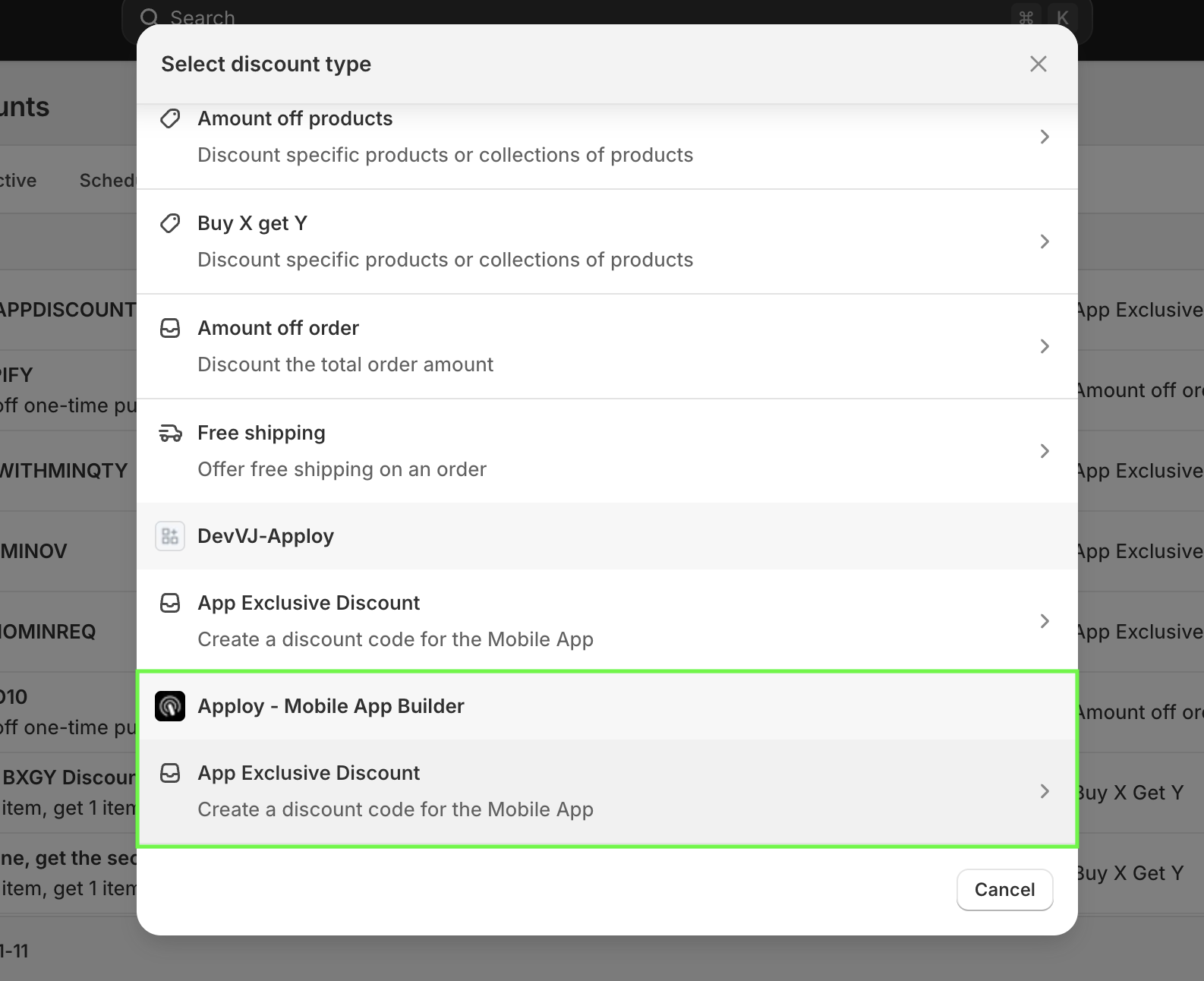
This tells Shopify the discount should only work inside the Apploy mobile app.
Step 3 — Configure the Discount
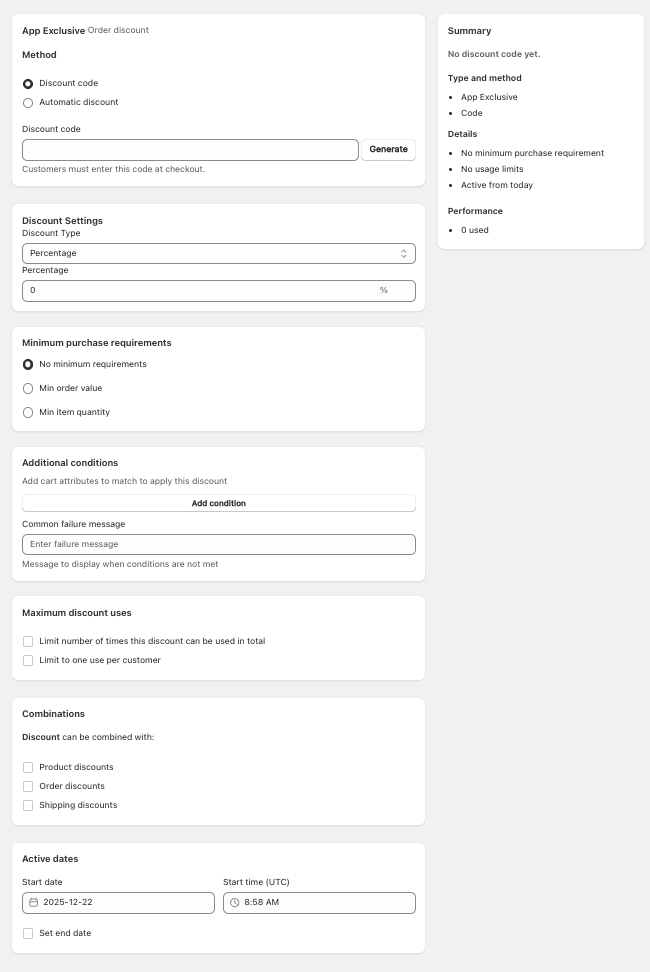
You’ll now see the App Exclusive Discount setup screen. Configure the discount exactly the same way you configure any other Shopify discount:
-
Choose Discount code or Automatic discount
-
Enter your discount value (percentage or fixed amount)
-
Optional: Set minimum purchase requirements
- You can choose between no minimum requirement, min order value or min item quantity.
-
Optional: Add usage limits - Only applicable to Discount Code based discounts
- Limit the total number of times the discount can be used
- Limit to single use per customer
-
Optional:Add additional conditions to apply the discount for complex use cases.
-
Use advanced cart attributes to qualify or disqualify the cart for a discount based on three apploy exclusive attributes.
- _apploy_attribute_one,
- _apploy_attribute_two, and
- _apploy_attribute_three
-
Build any logic yourself or reach out to us to setup a custom logic based on these attributes.
-
-
Optional: allow combinations with other discounts.
- Allow the discount to combine with other Product discounts, Order discounts and Shipping discounts.
-
Optional: Set the start date and optional end date. NOTE: The date and time are in UTC.
Step 4 — Review & Save the Discount
Review the settings and click Save discount to make it available now or schedule. The discount will now work only inside your Apploy mobile app.
How Customers Experience It
- When used inside the app → discount applies normally
- When used on the online store → discount is blocked because it’s app-exclusive