
Invite Apploy to your Apple Developer account.
Step-by-step guide to inviting Apploy to your Apple Developer account.
Updated
Follow these steps to invite Apploy to your Developer account:
-
Visit your App Store Connect account here: https://appstoreconnect.apple.com/login
-
In the top menu bar, select ‘Users and Access’.
-
Click on the ‘+’ button and enter these details:
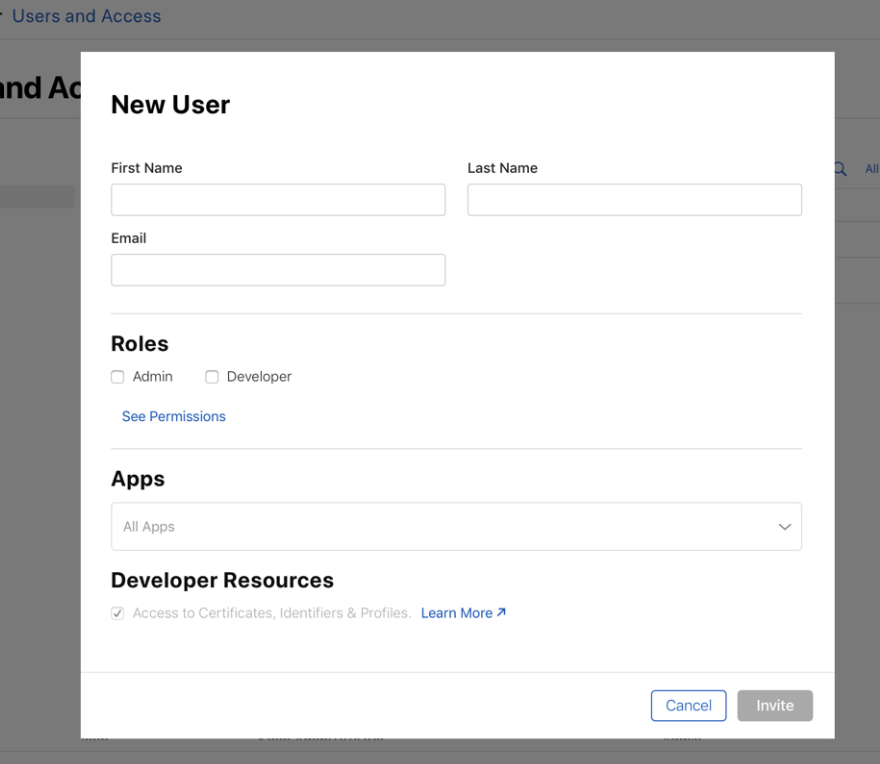
- First Name: Apploy
- Last Name: Team
- Email: [email protected]
- Role: ‘Admin’ with access to all ‘Additional Resources'
-
Next, click the ‘Invite’ button.
-
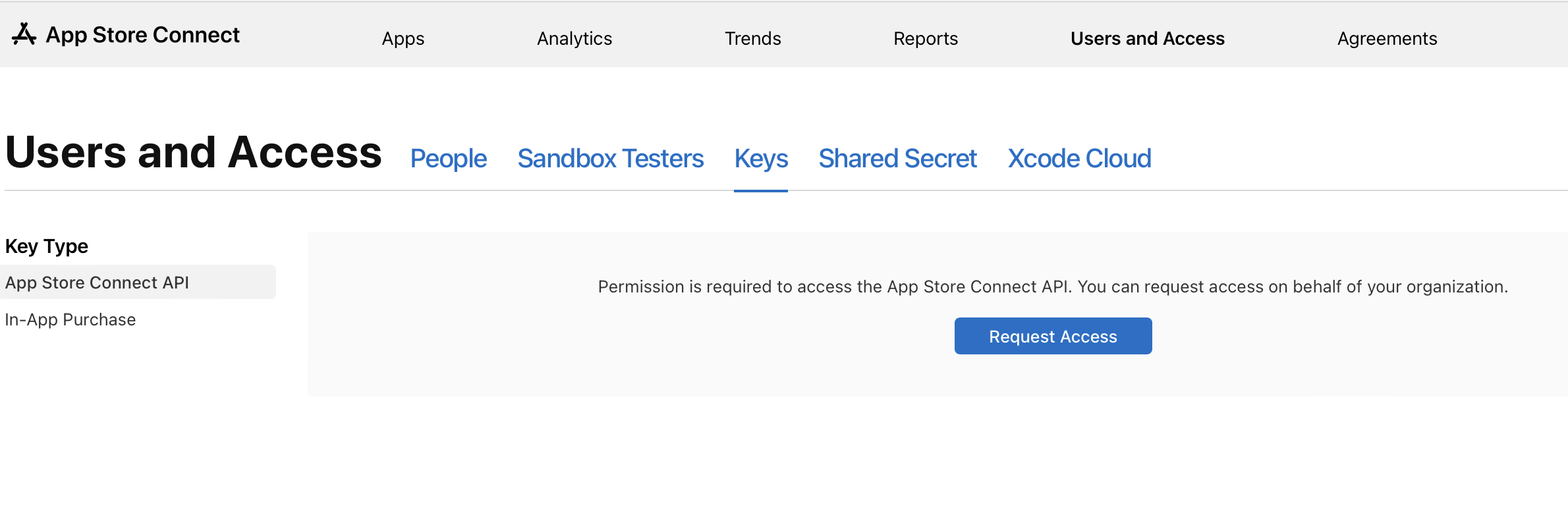
Now Go to Keys and click on the Request Access button.
-
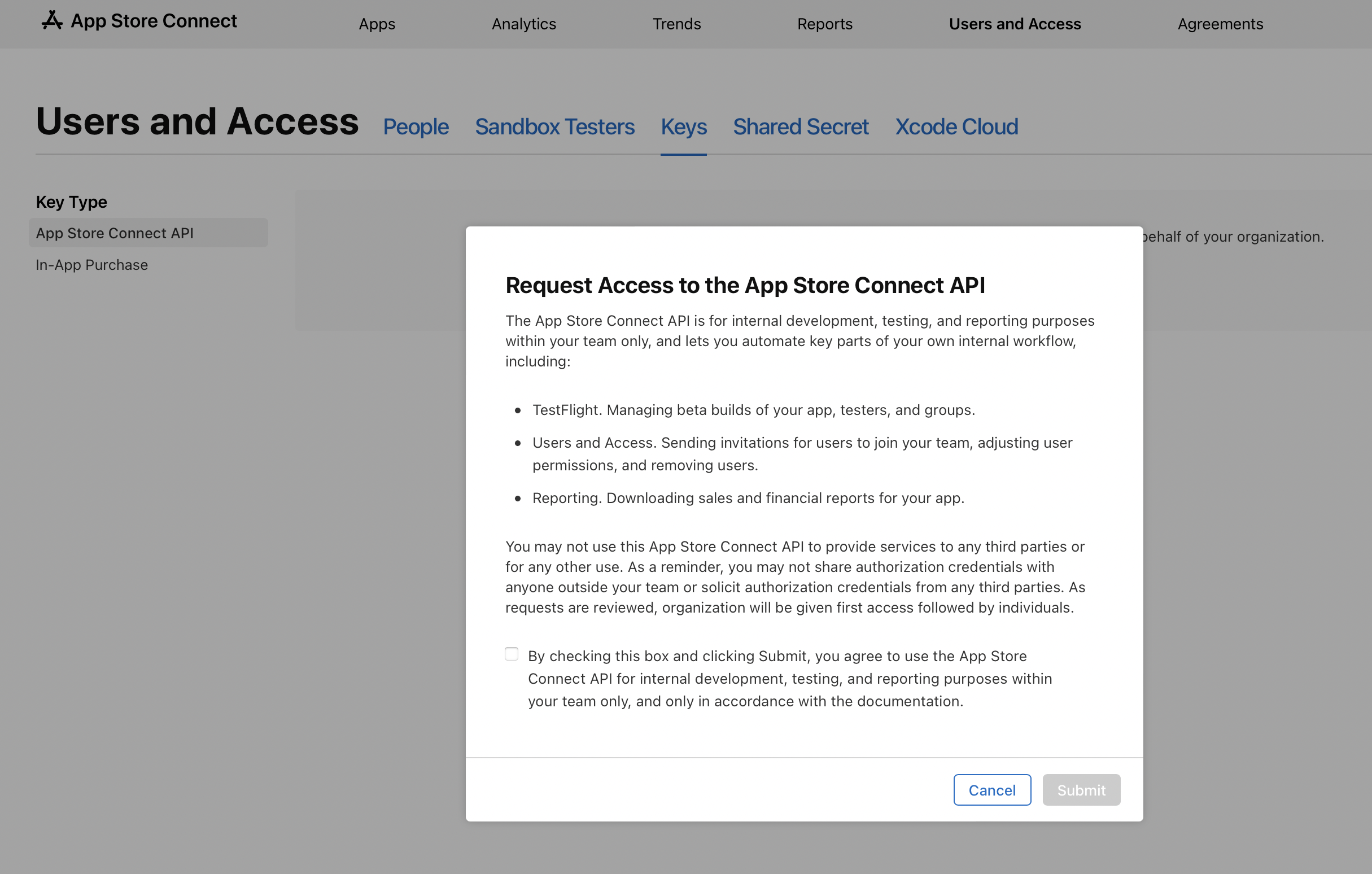
Please select the check box and click on Submit.
More Questions
If you need additional help or have questions then email us at [email protected]