
Invite Apploy to your Google Play Developer Account
Step-by-step guide to invite Apploy to your Play Store account.
Updated
Follow these steps to invite Apploy to your Google Play Developer Account:
- After creating your account, you can go to the Google Play Console and locate the 'Users and Permissions' section on the left-hand side of the page.
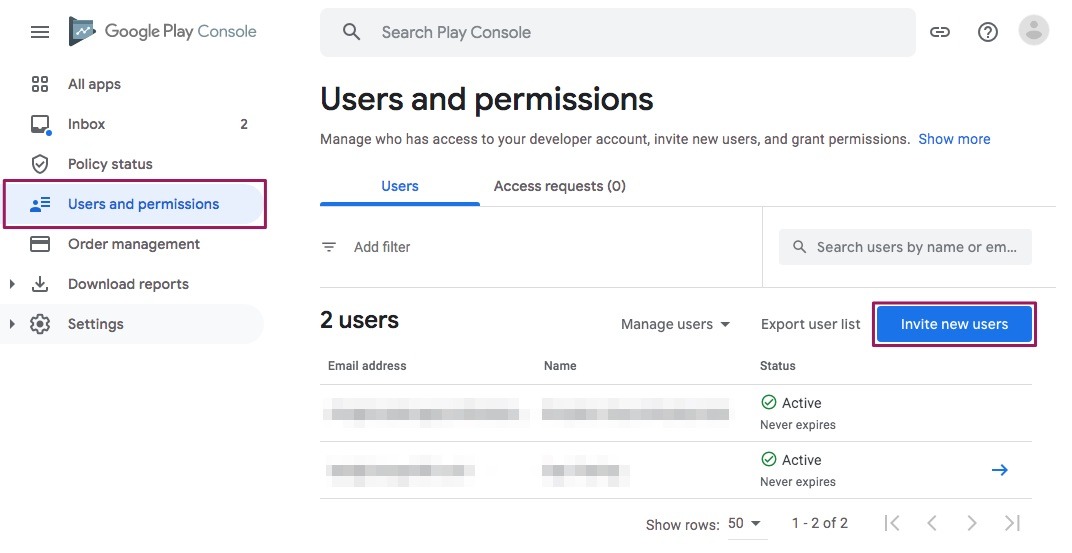
- From there, select 'Invite new users' and enter the email address of the person you want to add with 'Admin' privileges. Use email- [email protected]
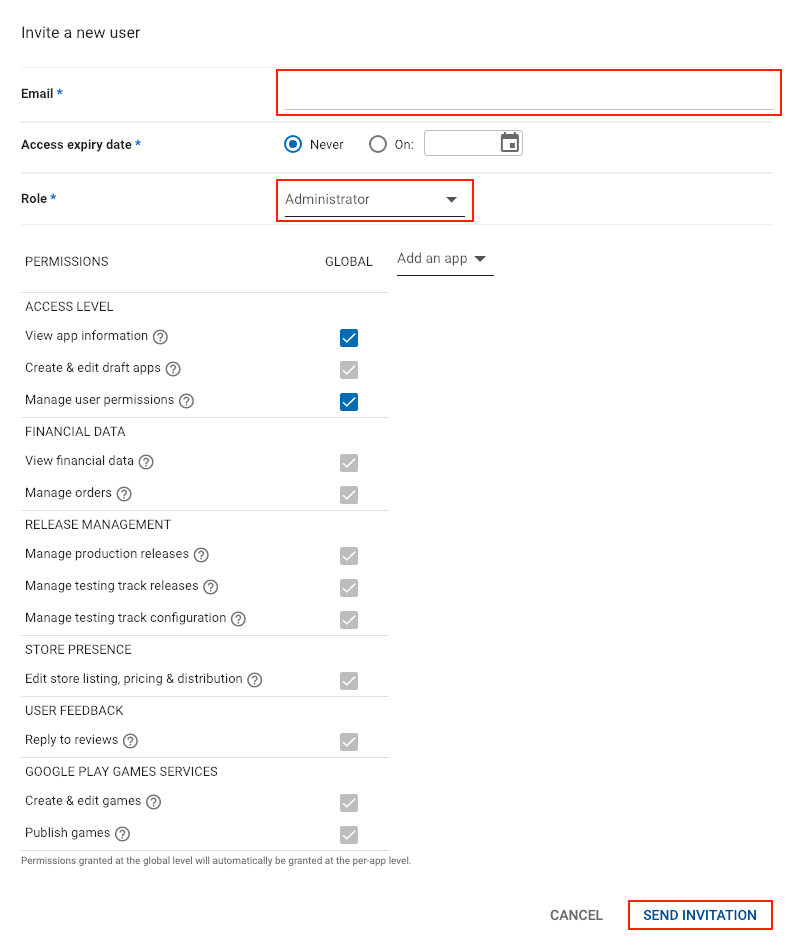
- Finally, click 'Invite User' to complete the process of sending an invitation.
More Questions
If you need additional help or have questions then reachout to us at [email protected]