
Setup a custom discounting logic for app users
Control app-exclusive discounts using cart attributes
Updated
Apploy allows you to apply advanced discount rules for mobile app users using custom cart attributes. This gives you full control to decide who gets a discount, when it applies, and under what conditions—all while staying inside Shopify’s native discount system.
This feature works only with Apploy App Exclusive Discounts and is configured directly in the Shopify discount UI.
How It Works
Apploy supports three optional custom cart attributes that can be used while creating an app-exclusive discount:
_apploy_attribute_one
_apploy_attribute_two
_apploy_attribute_three
Each attribute:
- Accepts string values only
- Is optional
- Can be used independently or together
- Has no impact if not present
- Is evaluated only inside the Apploy mobile app
The discount applies only when the configured conditions match the cart attributes.
Where Discount Conditions Are Configured
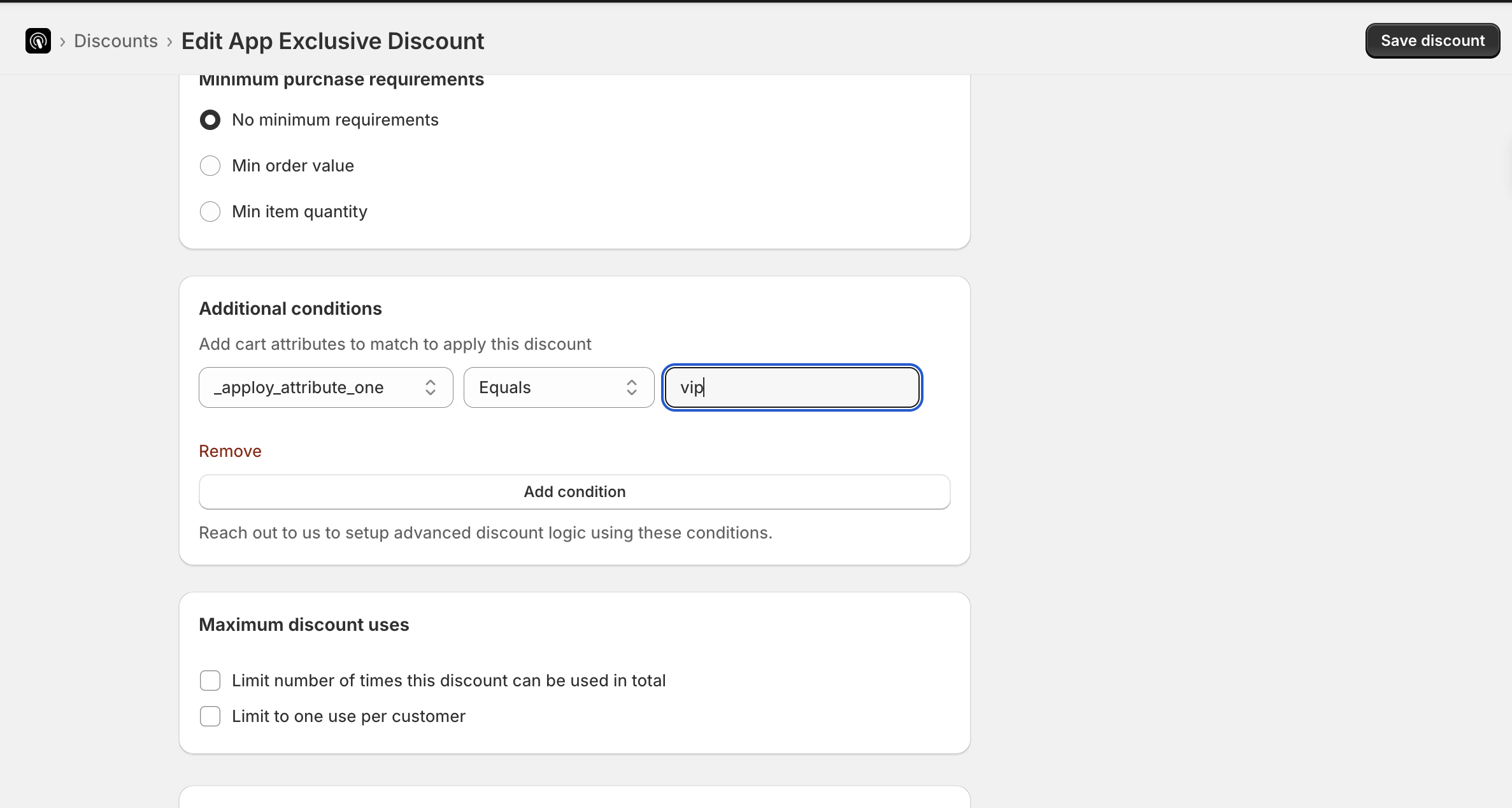
When you create an Apploy App Exclusive Discount in Shopify, you’ll see conditional fields for each attribute.
For every attribute, you can define rules such as:
- equals
- not equals
- contains
- does not contain
Only the conditions you configure are evaluated.
Your Responsibility: Setting Cart Attributes
Apploy does not automatically assign values to these attributes.
You (or your agency/developer) must set the attribute values in the customer’s cart using your own logic, such as:
- customer tags
- loyalty tiers
- login state
- app-only interactions
- campaign participation
Example: VIP App-Only Discount
Goal
Apply a discount only for customers tagged vip, and only inside the mobile app.
Step 1 — Expose Customer Tag Using Liquid
Add this to a global theme file (for example theme.liquid or an app embed):
{% if customer and customer.tags contains 'vip' and cart.attributes["_apploy_attribute_one"] != 'vip' %}
  <script>
    fetch('/cart/update.js', {
      method: 'POST',
      headers: {
        'Content-Type': 'application/json'
      },
      body: JSON.stringify({
        attributes: {
          _apploy_attribute_one: 'vip'
        }
      })
    })
    .then(res => res.json())
    .catch(() => {
      // fail silently
    });
  </script>
{% endif %}
What This Does
- Runs only for logged-in customers
- Checks for the
vipcustomer tag using Liquid - Sets
_apploy_attribute_one = "vip"using Shopify’s Cart Ajax API - Avoids repeated updates if the value already exists
Step 2 — Configure the Discount Condition in Shopify
While creating an Apploy App Exclusive Discount:
- Attribute:
_apploy_attribute_one - Condition:
equals - Value:
vip
Save the discount.
Result
- VIP customer in the mobile app → discount applies
- Non-VIP customer → discount does not apply
- Website customer → discount never applies
No checkout friction. No theme branching. No duplication of discounts.
Using Multiple Attributes
You can combine attributes to create more advanced logic.
Example:
_apploy_attribute_one = "vip"
_apploy_attribute_two = "early_access"
_apploy_attribute_three = "campaign_2026"
Each attribute can represent a different rule. Only the attributes you configure in the discount UI are evaluated.
Important Notes
- All attributes are string-based
- Attributes are optional
- Missing attributes do not block checkout
- Logic applies only to Apploy App Exclusive Discounts
- Works for both automatic and code-based discounts
When to Use This Feature
- App-only loyalty tiers
- Invite-only or early-access sales
- Agency-built custom app flows
- Advanced segmentation beyond Shopify’s native rules