
Automatic vs Manual Routing
Learn the difference between automatic and manual route optimization when planning deliveries, and how to use both efficiently in your delivery workflow.
Updated
Overview
The Routing feature helps you plan and optimize delivery routes for selected orders. You can choose between two routing methods:
- Automatic Routing – Uses Google’s reliable APIs to create optimized delivery routes based on real-time traffic and the selected vehicle type.
- Manual Routing – Lets you manually set the delivery sequence by arranging stops yourself.
Both routing types start with selecting orders from the Orders tab and managing stops in the Stops tab.
Step 1: Select Orders for Delivery
- Go to the Orders tab.
- Select the orders you want to deliver.
- The selected orders will automatically appear under the Stops tab.
Step 2: Choose Routing Type
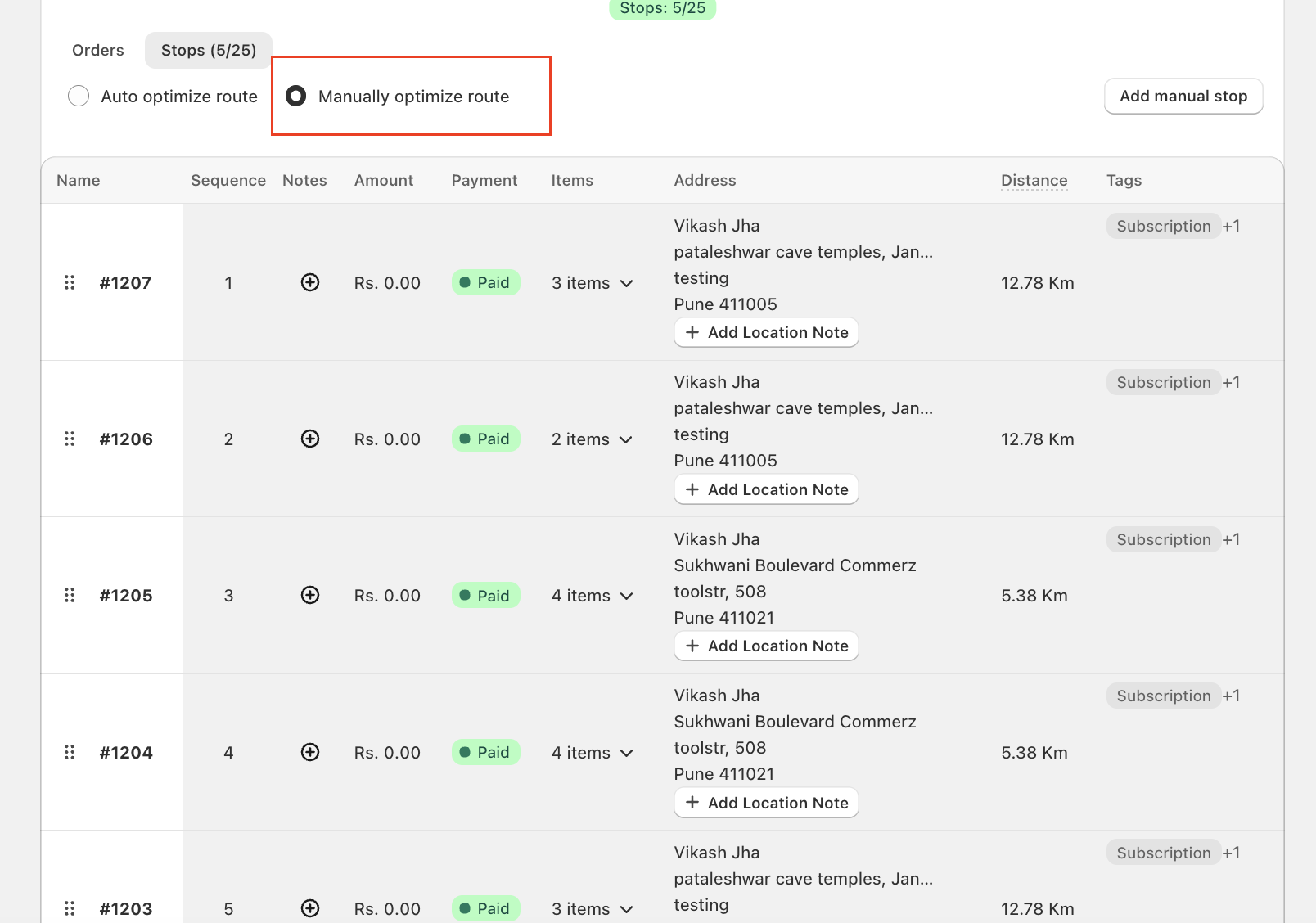
Under the Stops tab, you’ll find an option to switch between:
- Auto Optimization (Automatic Routing)
- Manual Optimization (Manual Routing)
Automatic Routing
How It Works
Automatic routing leverages Google Maps APIs to generate optimized delivery routes in real-time, considering traffic conditions, distances, and your selected vehicle type.
Steps
- Select Auto Optimization in the Stops tab.
- Click Get directions and save.
- The system will automatically calculate the best delivery sequence and display the optimized route.
- The route will be saved for navigation and dispatch.
Benefits
- Real-time traffic-based optimization.
- Saves time and fuel.
- Automatically adapts for different travel types (Driving, Bicycling, etc).
Manual Routing
How It Works
Manual routing allows you to decide the sequence of stops based on your own delivery preferences, local knowledge, or specific constraints.
Steps
- Select Manual Optimization in the Stops tab.
- Arrange the stops by dragging and dropping them in your preferred order.
- Once you’re satisfied with the sequence, click Get directions and save.
- The route will be saved as per your chosen order.
Benefits
- Full control over delivery sequence.
- Ideal for special deliveries, preferred customers, or route familiarity.
Tips for Efficient Routing
- Use Automatic Routing for daily bulk deliveries or long routes where traffic conditions vary.
- Use Manual Routing when you have specific delivery priorities or need to follow a non-standard route.
- Always verify the stops and delivery sequence before saving.
Summary
| Feature | Automatic Routing | Manual Routing |
| Routing Logic | Google Maps API-based optimization | User-defined sequence |
| Traffic Awareness | Real-time traffic considered | Not traffic-aware |
| Control | Fully automated | Complete manual control |
| Best For | Large or dynamic routes | Custom or short routes |
By choosing between Automatic and Manual Routing, you can balance efficiency and flexibility — ensuring every delivery run is optimized for your needs.