
Lifetime Discount QR Codes for first x Customers
This guide explains how to set up a campaign offering your first 100 customers a lifetime 10% discount on all orders.
Updated
Overview of the Flow
- Create an initial discount code usable only by the first 100 customers and only one per customer.
- Generate a QR code for that discount and engrave/print it on a card with terms & conditions.
- Use Shopify Flow to tag customers who redeem the initial discount.
- Grant tagged customers a permanent lifetime discount of 10% on all future orders using Automatic discount.
Step 1: Create the Initial Discount Code
-
In your Shopify Admin, go to Discounts > Create Discount Code.
-
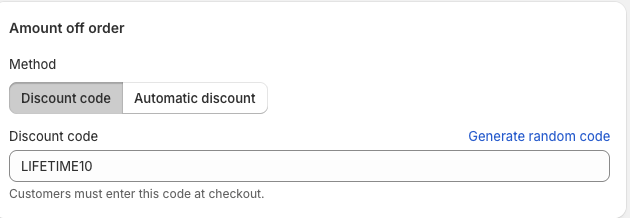
Choose Amount Off Order.
-
Configure:
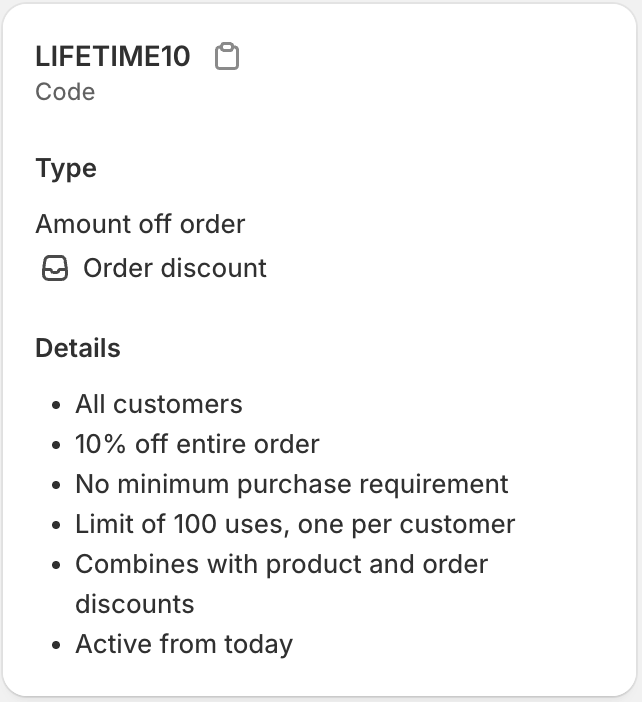
- Discount Code: e.g., LIFETIME10.
- Value: 10% off.
- Applies To: All products (exclude shipping in advanced settings).
- Usage Limits: Maximum 100 uses total. Limit to 1 use per customer.
-
Save the discount code.
Step 2: Create a QR Code for the Discount
-
Open your Super QR Codes dashboard.
-
Select Create New QR Code.
-
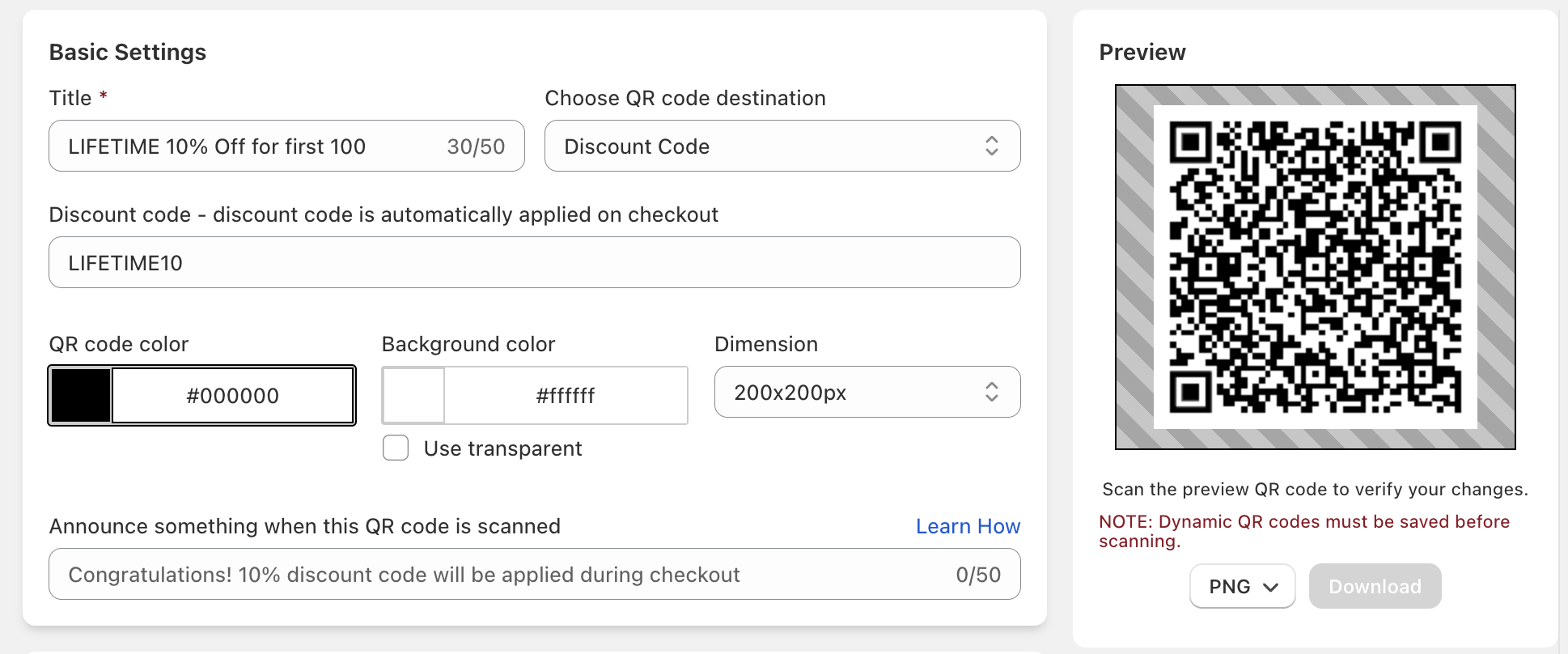
Choose Discount QR Code.
-
Enter the discount code (LIFETIME10).
-
(Optional) Create a Template to add text around the QR code specifying terms and conditions, e.g.:
Valid for first 100 customers. Single use only. Excludes shipping.
-
Customize the QR code design to match your brand.
-
Download and use this QR code on engraved cards, inserts, or packaging.
Step 3: Tag Customers Using Shopify Flow
-
Install the Shopify Flow app (if not already installed).
-
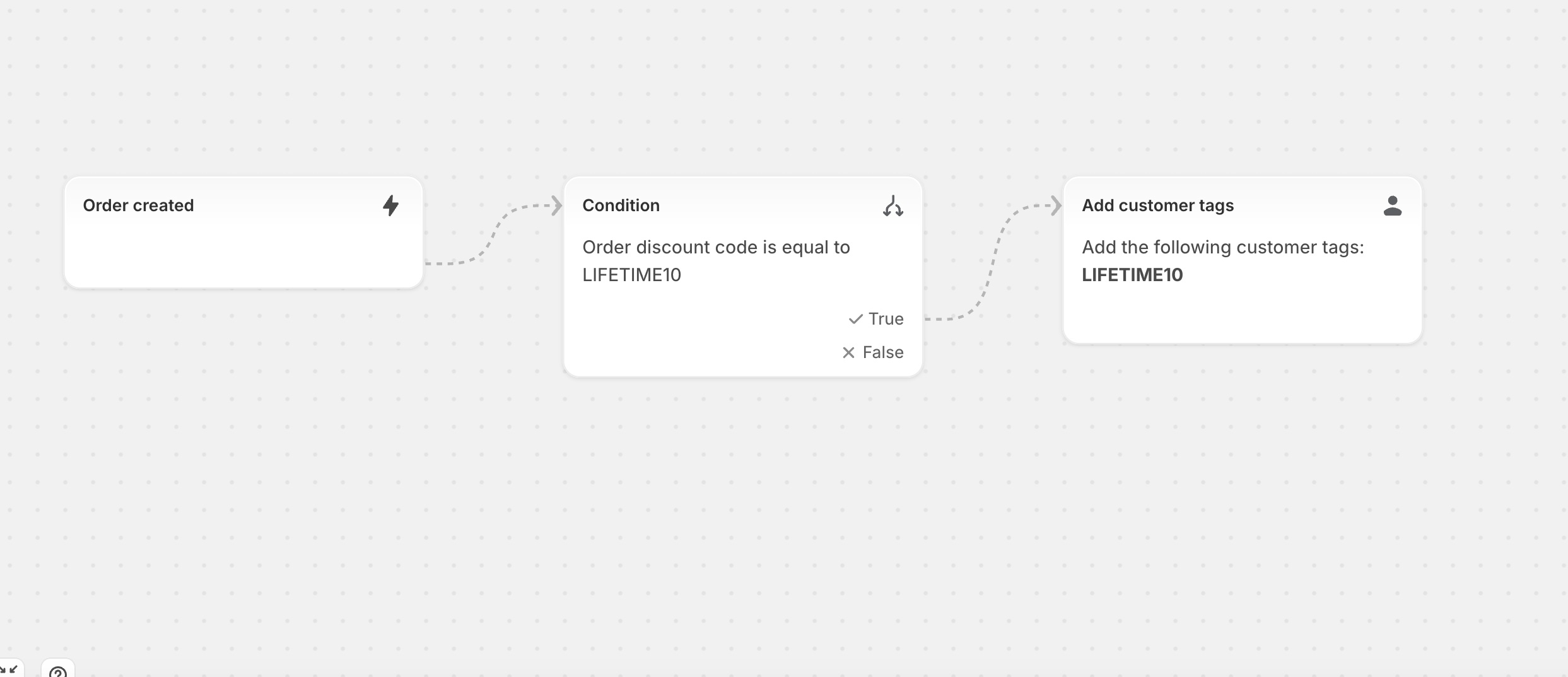
Create a new workflow:
- Trigger: Order Created.
- Condition: Order includes discount code =
LIFETIME10. - Action: Add customer tag → e.g.,
LIFETIME10.
-
Save and enable the workflow.
Step 4: Create the Lifetime Discount
-
In your Shopify Admin, create a customer segment
- Customers tagged with
LIFETIME10 - Name the segment
LIFETIME10.
- Customers tagged with
-
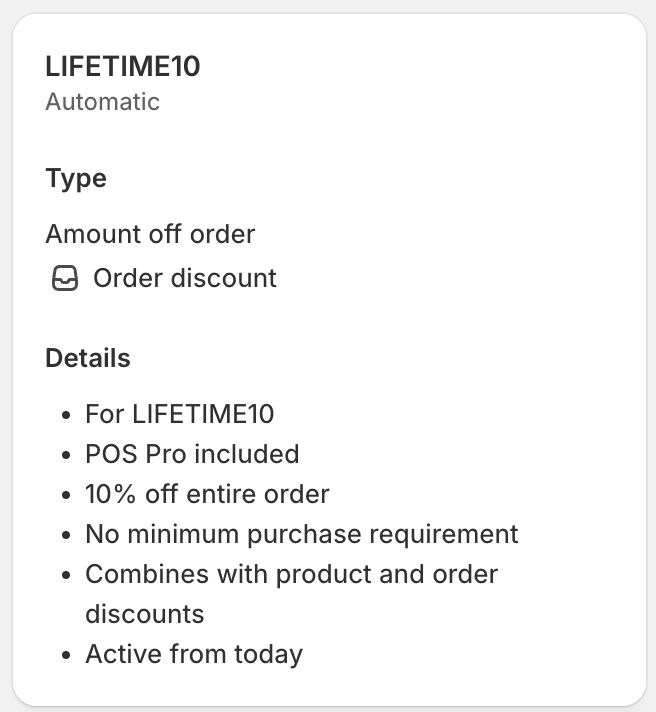
In your Shopify Admin, create another discount code:
- Type: Automatic discount.
- Value: 10% off.
- Applies To: All products, orders (exclude shipping).
- Customer Eligibility: Select a Customer Segment(
LIFETIME10).
-
Save the discount.
Now, whenever a tagged customer places an order, they will automatically get 10% off for life.
Best Practices
- Communicate Clearly: Engrave or print terms around the QR code to set expectations.
- Test End-to-End: Place a test order using the QR code to ensure tagging and lifetime discount apply correctly.
- Track Usage: Monitor the initial discount code in Shopify Admin to ensure it only reaches the first 100 customers.
- Celebrate Loyalty: Consider emailing tagged customers to confirm their lifetime discount.
Summary
By combining Discount QR Codes with Shopify Flow automation, you can reward your first x customers with a lifetime discount. This approach ensures:
- Only the first x qualify.
- Customers are automatically tagged and rewarded.
- Future orders always apply the y% lifetime discount seamlessly.