
Using Automatic QR Codes
Automatic QR Codes let you create and update QR codes dynamically using Shopify Flow.
Updated
What are Automatic QR Codes?
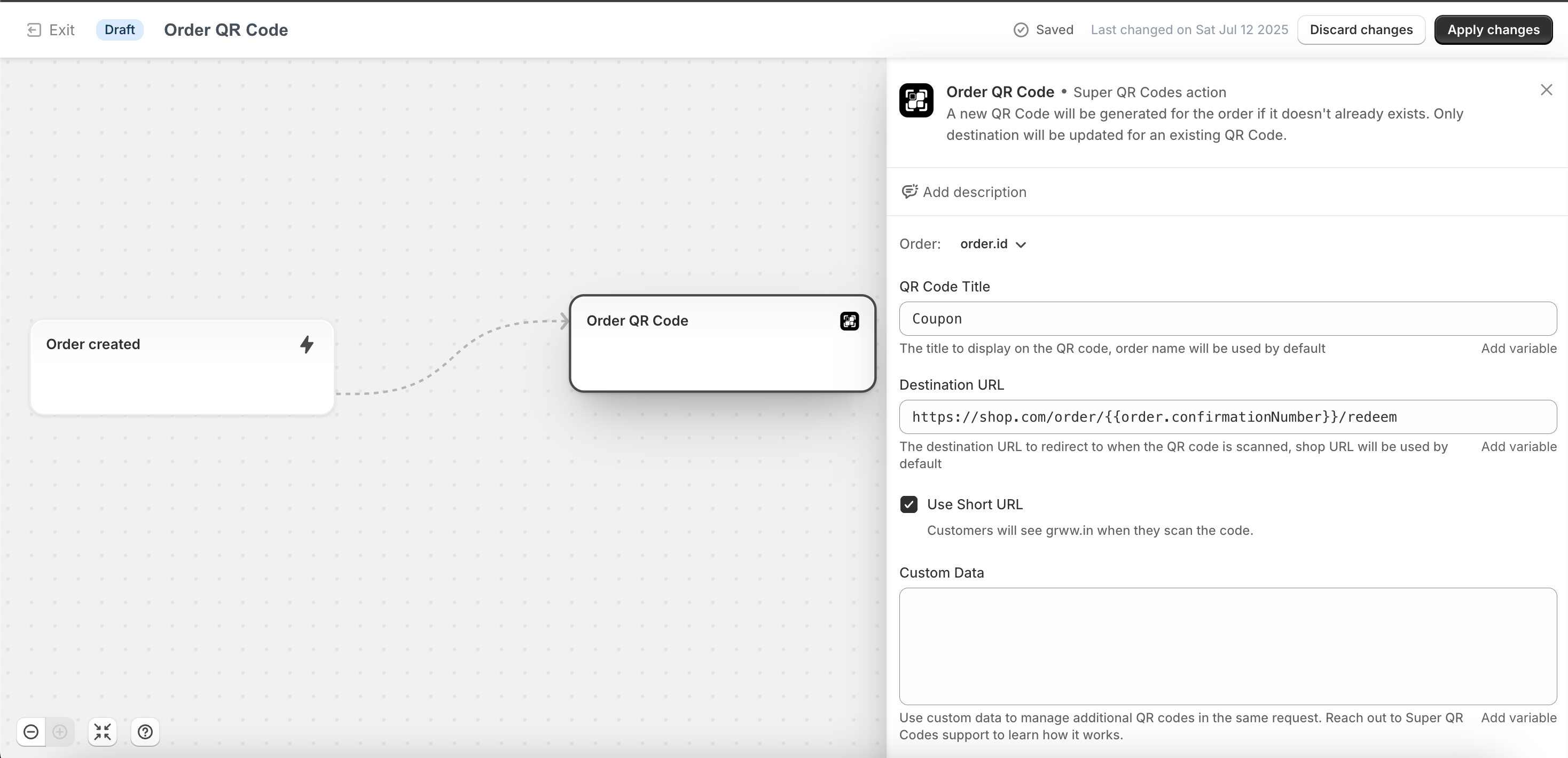
Automatic QR Codes are powered by the Shopify Flow app integration with Super QR Codes. Using our prebuilt Flow Templates and actions, you can configure workflows that automatically generate or update QR codes whenever specific events occur.
Supported templates and actions:
- Order QR Codes
- Product QR Codes
- Collection QR Codes
- Customer QR Codes
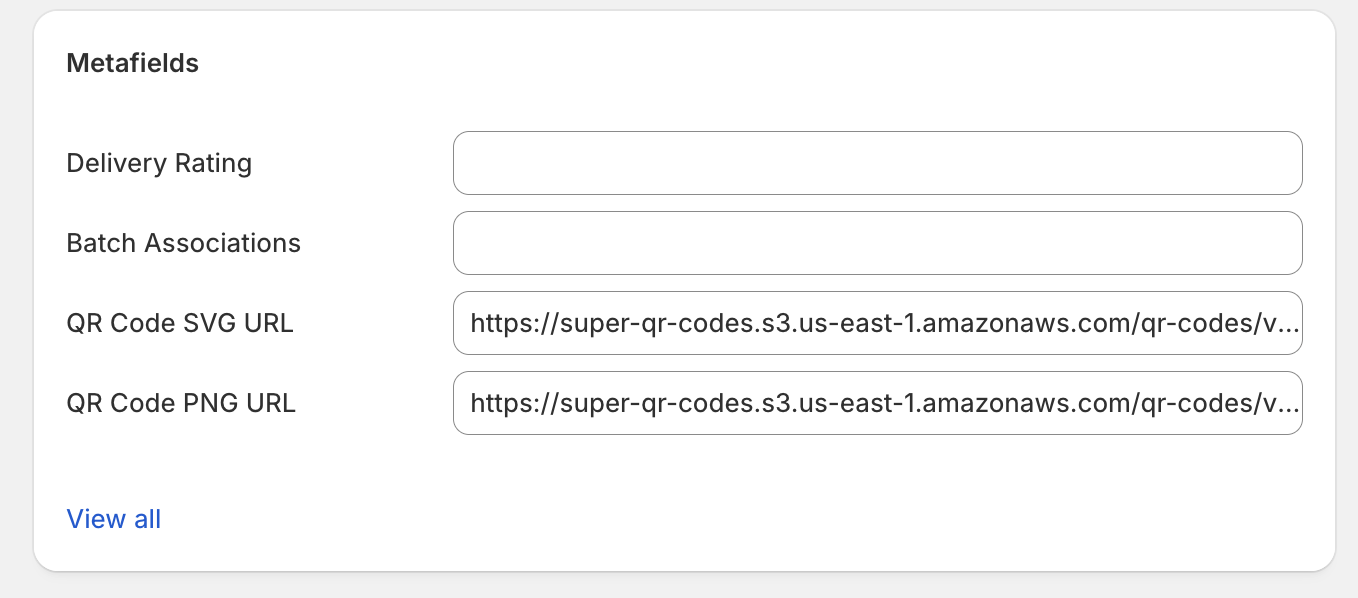
These QR codes are saved directly to the entity’s metafields, making them easy to use in your theme, emails, and other Shopify surfaces.
How Automatic QR Codes Work
-
An event occurs (e.g., an order is created, a product is updated, a new customer is added).
-
Shopify Flow triggers the Super QR Codes action (Order QR Code, Product QR Code, Collection QR Code, or Customer QR Code).
-
The action:
- Creates or updates a QR code for that entity.
- Allows you to pass a destination URL (checkout, landing page, campaign URL, etc.).
- If updating, you can only change the destination of the existing QR code.
-
Once created, the QR code is stored in the entity’s metafields:
- QR Code SVG RAW
- QR Code SVG URL
- QR Code PNG URL
These metafields can be used anywhere in Shopify — such as in email templates, order confirmations, customer notifications, or Liquid code in themes.
Use Cases
Automatic QR Codes open up a wide range of possibilities:
Orders
- Pickup Orders: Add QR codes in order confirmation emails for in-store pickup verification.
- Repeat Purchases: Include reorder QR codes directly in customer notifications.
- Tracking Promotions: Generate unique QR codes per order for campaign attribution.
Products
- Dynamic Packaging: Automatically generate a QR code linking to the product page for new products.
- Marketing Inserts: Place QR codes on product inserts for upselling or cross-selling related items.
- How-to Guides: Link to instructional videos or care guides.
Collections
- Seasonal Campaigns: Create QR codes for new seasonal collections.
- Event Showcases: Automatically update QR codes for event-specific product collections.
- Dynamic Bundles: Link QR codes to curated collections that change over time.
Customers
- Loyalty Programs: Assign a unique QR code to each customer for loyalty or rewards tracking.
- Personalized Promotions: Generate customer-specific QR codes that apply discounts.
- Exclusive Access: Provide QR codes for VIP collections or early product drops.
- Retail: Generate customer-specific QR codes to add customers to the Shopify POS app instantly.
Best Practices
- Keep Destinations Flexible: Decide the most useful landing pages for your audience (checkout, product page, or custom campaign page).
- Test Flows Thoroughly: Ensure QR codes generate correctly before rolling out to customers.
- Use Metafields Effectively: Embed QR codes in Shopify emails, order templates, or theme sections to maximize visibility.
- Track Campaigns: Pair destinations with UTM tracking for deeper analytics in Google Analytics.
Summary
Automatic QR Codes let you harness the power of Shopify Flow + Super QR Codes to create dynamic, entity-linked QR codes for Orders, Products, Collections, and Customers. With destinations that can be updated, metafields for flexible usage, and endless marketing and operational use cases, this feature makes QR codes smarter and more automated than ever.